PBS KIDS Games
- 4.3
- Rating
- 10.00M
- Installs
- Free
- Price

 Analysis by App-foxy
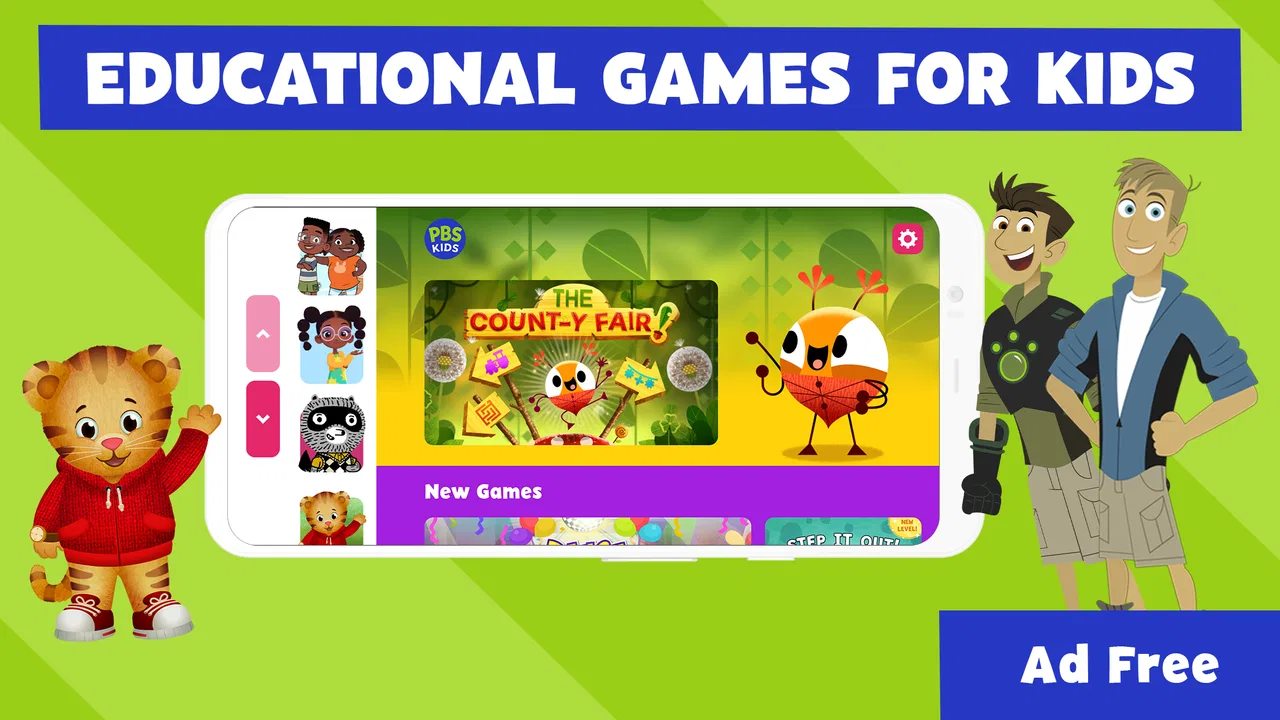
I installed PBS KIDS Games expecting a simple collection of children’s activities, but it feels more thoughtfully assembled than a random bundle of mini-games. It brings together familiar PBS KIDS characters, including Daniel Tiger and the Wild Kratts, in a free educational game made for young children. My overall impression is that it works best as a safe, low-pressure choice for short play sessions, especially when a parent wants something more purposeful than an ordinary arcade game.
The app is developed by PBS KIDS and sits in the educational games category. It is rated for Everyone, runs on Android 5.1 and later, and the current version is 5.3.23. Those details matter because this is clearly aimed at families who may be using an older tablet or a shared household device rather than a brand-new phone. It is also a well-established download, with more than ten million installs and a 4.4 average from roughly fifty-five thousand ratings, so it has reached far beyond a small niche of PBS fans.
How the current collection feels in everyday use
I find the collection easiest to enjoy when I treat it as a small menu for a particular moment, rather than an activity a child must work through from start to finish. Choosing one familiar character before opening the app can make a short session calmer and leave more room to talk about what the child is doing. That repeatable routine also makes it easier to notice which kinds of play genuinely hold their interest.
You May Also Like

 Blood Strike: 2.5 Anniversary
Blood Strike’s Loadouts Turn Every Drop Into a Tactical Gamble
A close look at Blood Strike’s custom loadouts: how fast access to signature weapons reshapes its battle royale rhythm, rewards preparation, and narrows the gap between fights.

 Pandora - Music & Podcasts
Pandora’s Music Is Easy to Start, but Harder to Recover
Pandora’s strength is its low-effort path from a seed to a station. Its weak spot is how much confidence it asks you to place in connection, setup, and quiet recovery.

 8 Ball Pool
 Is Built on Rivalries, Rematches, and Routine
A close look at the rivalries, rematches, shared routines, and unanswered safety questions that turn a quick pool match into a persistent mobile community.

 Samsung Music
’s Quiet Strength Is Playing What You Already Own
Its reach comes less from spectacle than from dependable access to a personal library. That simplicity is both the app’s strongest retention engine and its ceiling.

 AccuWeather: Weather Radar
AccuWeather Review: A Quick, Clear Forecast for Everyday Decisions
For everyday plans, the best forecast is the one you can understand quickly. AccuWeather makes rain timing, radar, and local conditions easy to act on, with a few trade-offs.

 Hill Climb Racing
Why Hill Climb Racing Still Turns Crashes Into One More Run
A tiny car, a bumpy hill and one more upgrade: Hill Climb Racing keeps resurfacing because its simple chaos makes every near-miss feel personal.
More From Our News Desk



A familiar starting point for young players
The strongest part of the experience is the way recognizable characters lower the barrier to entry. A child who already knows Daniel Tiger or enjoys the Wild Kratts does not have to learn an unfamiliar world before understanding why a game might be interesting. That familiarity can make a real difference with younger players, particularly those who become frustrated when an app presents too many menus, instructions, or abstract symbols at once.
I found the collection more suitable for independent exploration than for serious lessons. The activities invite children to tap, match, discover, and experiment, but they do not feel like a digital workbook. That is a good choice for early learning because the child can remain curious instead of feeling tested. At the same time, parents should keep expectations realistic: this is an educational play space, not a complete curriculum for reading, mathematics, science, or social development.
The presentation is also less intimidating than many conventional learning apps. Instead of placing a child in front of a long sequence of exercises, it gives the impression of a character-based playground. That makes it useful during a quiet afternoon, while waiting at an appointment, or during a short travel break when a full educational routine would be impractical.
Why the free model changes the decision
The game is free, which removes one of the biggest obstacles for families who want to try it without committing money first. I could recommend it as a low-risk download for a child who already likes PBS KIDS programming. The absence of an upfront cost also makes it easier to keep available as a backup activity rather than treating it as the child’s main entertainment app.
Free does not automatically mean perfect, though. Parents still need to decide whether the available activities match their child’s age, attention span, and interests. A child who wants one deep, story-driven game may find a collection of smaller experiences less satisfying. Another child may prefer exactly that variety, moving from one character or activity to another when attention starts to fade.
That variety is one of the app’s practical strengths. If a child dislikes one activity, the whole download does not become useless. I would use it as a rotating option: let the child choose a familiar character first, then encourage a different activity on another day. This keeps the app from becoming a single repetitive task and gives parents a simple way to observe which kinds of learning play hold attention.
What a normal family scenario looks like
Imagine a parent preparing dinner while a preschool-age child needs something calm to do nearby. A short session can work well here because the child can select a character-led activity without needing a complicated setup. The parent can check in occasionally, ask what the child is doing, and turn the game into a small conversation rather than leaving the screen to carry the entire experience.
That last part is important. The best use I found is not “hand over the device and forget about it,” but “use the app as a starting point for interaction.” If an activity involves animals, a parent can ask the child to describe what they noticed. If a game features choices or sorting, the adult can ask why one option belongs in a particular group. The app supplies the prompt; the useful learning often continues away from the screen.
What the version information tells existing users
The current version, 5.3.23, shows that the app remains maintained as a living product rather than an abandoned release. It originally appeared on April 27, 2016, so it has had time to become a familiar part of the PBS KIDS mobile offering. I would not interpret the version number alone as proof of a major redesign, but it does suggest that the app has continued through ongoing updates instead of remaining frozen in its first form.
For an existing user, that is reassuring in a practical way. A family that installed it years ago can check whether the current build works smoothly on its device instead of assuming the old installation represents the present experience. Updating is especially sensible before a trip or a period when the app will be used heavily, because children are not patient when a familiar game suddenly behaves differently after a long-unused installation.
There is also a trade-off in long-running collections. A mature app can offer plenty of content and recognizable structure, but it may not feel as visually new as a recently designed standalone game. Children who are drawn to constant novelty may move through the activities quickly. I see this less as a defect than as a reminder that the app is designed to be revisited in small doses, not necessarily consumed from beginning to end in one sitting.
How it compares with ordinary alternatives
Compared with a general video app, PBS KIDS Games gives the child more to do than simply watch. Tapping and making choices creates a more active relationship with the screen, while the educational framing gives parents a clearer reason to permit play. It is not a replacement for books, outdoor play, conversation, or hands-on toys, but it is a better fit than passive video when the child wants digital entertainment.
Compared with a dedicated spelling, counting, or phonics app, it is broader and less specialized. A focused learning app may be better if a parent is targeting one exact skill and wants visible progression through carefully ordered exercises. PBS KIDS Games is more appealing when the goal is variety, familiarity, and gentle exploration. I would choose the PBS collection for flexible play and a specialist app for deliberate practice.
Compared with a paid children’s game, the free price makes experimentation easier, but the experience may not provide the same sense of a single polished adventure. A paid title can sometimes offer one continuous world with a clear beginning and end. Here, the benefit is the range of character-based activities, while the cost is that the collection may feel less unified.
Small habits that make the app work better
One useful approach is to let the child choose between two activities rather than opening the app with no guidance. This preserves a sense of control while avoiding the indecision that can happen in a collection with multiple characters. I would also keep sessions tied to a simple purpose, such as playing while waiting or exploring one activity before bedtime, rather than presenting the app as an unlimited default.
Another practical tip is to watch for the difference between recognition and understanding. A child may know a character and tap quickly through a familiar activity without thinking deeply. Sitting beside them for the first few minutes can reveal whether they understand the task or are simply following visual cues. That observation helps a parent decide whether to repeat an activity, ask questions, or move to a different one.
A third tip is to use the app as a bridge to offline play. After a character-based activity, I would continue with drawing, sorting household objects, talking about animals, or acting out a social situation. This makes the screen time feel connected to ordinary life and prevents the game from becoming an isolated reward with no follow-up.
Where the experience still has limits
The broad collection is not ideal for every child. If your child needs a tightly structured course with clear goals, progress tracking, or a carefully sequenced lesson path, this may feel too open-ended. The app is better at encouraging exploration than documenting mastery. Parents looking for a tool that tells them exactly what a child should practice next may prefer a more specialized educational product.
It may also be a weak fit for older children who have outgrown the tone and characters. The Everyone rating makes it accessible to a wide audience, but that does not mean every age group will find the activities equally engaging. A child who wants complex strategy, longer narratives, or challenging problem-solving may quickly look elsewhere.
Variety can create its own friction, too. A collection of activities requires the child to choose, and younger users may need help navigating that choice. If the child has a favorite character, the app becomes easier to approach; without that preference, a parent may need to guide the first few sessions. I would not treat this as a serious usability problem, but it is worth remembering if the app is intended for completely independent use.
Parents should also think about the role of supervision. The content rating is Everyone, which makes the app broadly suitable for family use, but age-appropriate does not mean every activity will match every child’s developmental level. A younger child may need explanations, while an older one may need extra challenge. The adult’s involvement determines whether the same collection feels enriching, merely entertaining, or too easy.
Who should install it and who should skip it
I would recommend it first to families with young children who already recognize PBS KIDS characters, parents seeking a free educational game, and households that want a calmer alternative to generic mobile entertainment. It is particularly useful as a flexible backup for short sessions, travel, waiting rooms, or a quiet activity after a child has finished more active play.
I would be more cautious if your main goal is measurable academic progress. In that situation, choose an app built around the exact skill you want to develop, then use PBS KIDS Games as a lighter supplement. I would also skip it for a child who strongly prefers advanced challenges or long-form games, unless that child still enjoys the characters and is happy with shorter activities.
What I would watch as the app continues
For future updates, I would pay attention to how well the collection balances its established character appeal with fresh reasons to return. The app’s history gives it a strong foundation, but long-term value depends on whether children continue discovering something enjoyable rather than simply revisiting the same familiar choices.
I would also watch how comfortably it serves both independent play and parent-guided learning. The best version of this kind of app should be easy enough for a child to start alone, while still giving an adult meaningful opportunities to talk, ask questions, and extend the activity offline. That balance matters more to me than flashy presentation.
After using it, my honest view is that PBS KIDS Games is strongest as a safe, free collection for short educational play, not as a complete learning system. Its familiar PBS KIDS worlds make starting easy, its broad selection prevents one disliked activity from ruining the experience, and its long-running development gives families confidence that it remains relevant. The limitations are equally clear: it may be too gentle for older children, too loose for parents seeking a structured course, and less compelling for anyone who does not connect with the characters.
For the right household, those limitations are reasonable. I would install it, begin with a child’s favorite character, stay nearby for the first sessions, and turn interesting moments into questions or offline activities. Used that way, the game becomes more than a way to fill time: it is a friendly prompt for learning through play, with enough variety to earn a regular place on a family device.
FAQs for PBS KIDS Games
01What age group is the PBS KIDS Games App suitable for?
The PBS KIDS Games App is designed for children aged 2 to 8 years old. It offers a variety of educational games featuring popular PBS KIDS characters, making it ideal for early childhood learning. Parents can feel confident that the content is age-appropriate and focuses on developing skills like math, reading, and problem-solving.
02Does the PBS KIDS Games App require an internet connection to play?
While some features of the PBS KIDS Games App require an internet connection, many games can be downloaded for offline play. This flexibility allows children to enjoy educational content even when Wi-Fi is unavailable, such as during travel or in areas with limited internet access.
03Are there any in-app purchases or advertisements in the PBS KIDS Games App?
The PBS KIDS Games App is free to download and does not contain in-app purchases or advertisements. This ensures a safe and uninterrupted gaming experience for children, without exposure to commercial content or additional costs. Parents can rest assured that the app provides an ad-free environment.
04How often is new content added to the PBS KIDS Games App?
PBS KIDS regularly updates the app with new games and features, often tied to current PBS KIDS shows. This ensures that children have access to fresh and engaging content. Parents can enable notifications to be alerted when new updates or games are available, keeping the experience dynamic and educational.
05Is the PBS KIDS Games App available on both Android and iOS devices?
Yes, the PBS KIDS Games App is available for download on both Android and iOS devices. It is designed to run smoothly on a variety of smartphones and tablets, ensuring that a wide audience can access its educational content, regardless of their preferred platform.
Pros
- Wide variety of educational games.
- No in-app purchases
- safe for kids.
- User-friendly interface for children.
- Regular updates with new content.
- Offline play available for travel.
Cons
- Limited content for older kids.
- Requires ample storage space.
- Some games need internet to update.
- Occasional performance lags.
- Advertisements for PBS content.

PBS KIDS Games
Gallery